
Ever scanned a QR code on a cannabis package, opened the lab report, and felt totally lost? You are not alone.
The safety section of a Certificate of Analysis (COA), especially the part on cannabis pesticide testing, looks technical on purpose. The good news: once you know what to look for, you can tell in seconds if a product passed or failed pesticide testing.
This guide walks through that section in plain English so you can shop, medicate, or recommend products with more confidence.
What A COA Is (And Where It Comes From)
A COA is a lab report for a cannabis product. It shows what was tested, which chemicals were found, and whether the results met state rules.
You usually find it by:
- Scanning a QR code on the package
- Visiting the brand or lab website and searching the batch or lot number
- Asking the dispensary for a digital or printed copy
Every state has its own rules for testing, but the idea is similar. A third‑party lab tests for things like potency, heavy metals, microbes, and pesticides, then signs the COA.
If you want a broader overview of all COA sections, the Cannabis Workforce Initiative guide on how to read a COA is a helpful reference.
Where To Find The Pesticide Section On Your COA
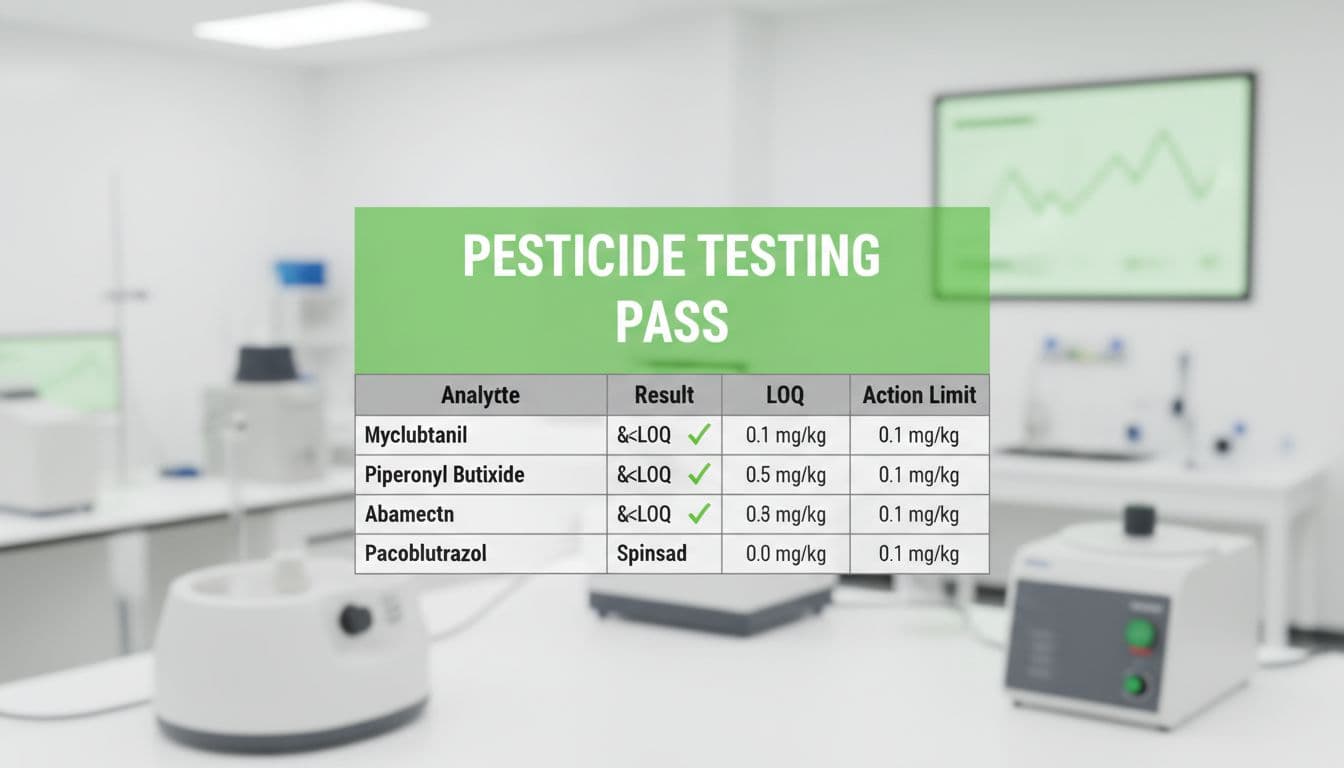
Caption: Example of a COA pesticide section where all listed pesticides are below the action limits and marked as passing. Image generated by AI.
Most COAs are several pages long, so you have to skip past the potency and terpene charts to reach the safety data.
Look for headings like:
- “Pesticides”
- “Pesticides & Mycotoxins”
- “Safety Testing” with a sub‑table for pesticides
- A combined table such as “Contaminants,” with a pesticide subsection
On a phone, this may appear as a scrollable table. On a printout, it is usually a grid with pesticide names in the first column.
If you do not see any mention of pesticides, that is a red flag. Either it was not tested for pesticides, or the report you have is incomplete. In most legal markets, flower, vapes, and edibles need pesticide testing, so do not ignore a missing section.
What The Columns Mean In Cannabis Pesticide Testing

Caption: Cannabis material prepared in a lab for quality and safety testing, including pesticides.
Photo by Jess Loiterton
Different labs use different layouts, but the pesticide table usually has some version of these columns:
| Column on COA | What it means | How to read it |
|---|---|---|
| Analyte | The specific pesticide | Each row is a different chemical |
| Result | The amount found in your sample | Often shown in ppm (parts per million) or ppb |
| LOQ or LOD | The lab’s lowest level they can measure | If Result is below this, it may show “<LOQ†|
| Action Limit | The maximum allowed level set by the state | Anything above this should fail |
| Status / Pass-Fail | The lab’s final call | Usually “Pass”, “Fail”, or a checkmark / X |
A few common symbols and terms:
- ND: Not detected (the lab did not find that pesticide)
- <LOQ: Present below the level the lab can reliably measure
- ppm / ppb: Small units for measuring chemicals; higher numbers mean more of that pesticide
The key idea: you are comparing the Result to the Action Limit. For most consumers, that single comparison tells the story. For another plain‑language breakdown of COA columns, you can check the Encore Labs guide on reading a COA.
How To Tell If Your Product Passed Or Failed
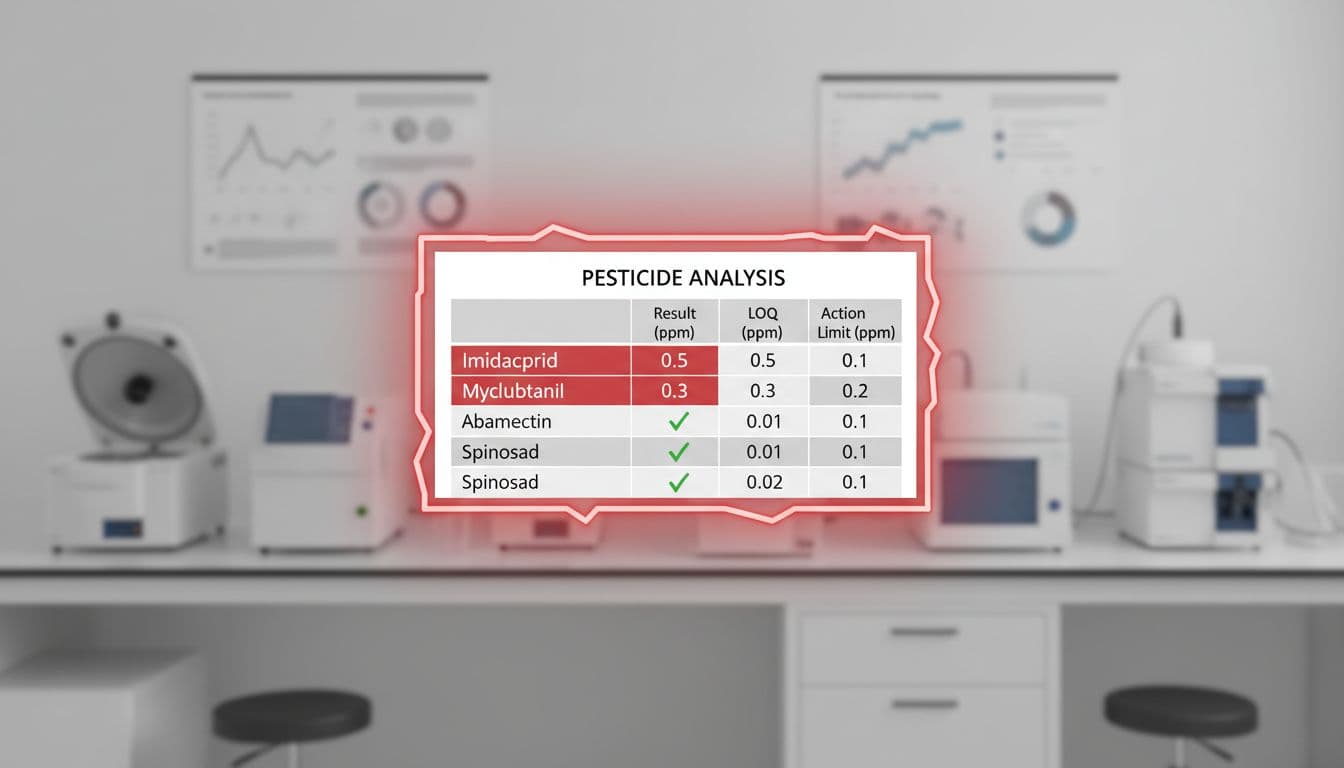
Caption: Example of a pesticide table on a COA showing both passing and failing results for different analytes. Image generated by AI.
You do not need a science degree to spot a fail. Follow this quick process whenever you open a COA:
- Check for an overall “PASS” on the safety panel
Some labs put a big PASS or FAIL stamp near the pesticide table. If it says FAIL for pesticides, treat that product as unsafe and do not use it. - Scan the Status or Result column
Move your eyes straight down the “Status” or “Pass/Fail” column. You are looking for any “Fail” marker, red color, or red X. One fail for a single pesticide is enough for the whole batch to be rejected in most legal markets. - Compare Result to Action Limit
If the lab does not show a clear Pass/Fail column, use this shortcut:- If Result is ND or <LOQ, you are in good shape for that pesticide.
- If Result is a number lower than the Action Limit, that row passes.
- If Result is equal to or higher than the Action Limit, that row fails.
- Look for patterns, not perfection
You might see dozens of pesticide names. It is normal for most of them to say ND or <LOQ. You do not need every number to be zero. What you want is no Result higher than the Action Limit and no Fail flags.
For more visual examples of pass and fail layouts, the True Labs article on how to read a COA includes screenshots that look similar to what you will see from many labs.
What To Do If You See A Pesticide Fail
Seeing a fail on a report can feel scary, especially if you have already used the product. Do not panic, but take it seriously.
Here is a simple plan:
- Stop using that batch
If the COA shows a pesticide fail for the batch number on your package, set the product aside until you get answers. - Confirm the batch and date
Make sure the batch number on your label matches the batch on the COA, and check that dates line up. Sometimes you may be looking at an old or wrong report. - Talk to the dispensary or brand
Ask the dispensary to explain the fail and whether that product should have been on the shelf. You can also email the brand and send them the COA. - Reach out to your doctor if you feel unwell
If you think the product made you sick, contact a medical professional. Bring the COA and packaging to your appointment. - Report serious concerns to your state regulator
Every legal market has a contact for cannabis complaints. You can usually find it on your state’s cannabis control website.
Keep in mind, this guide is for education, not legal advice or medical care. Rules and limits for pesticides vary by state, so always check local information if you are unsure.
If you want another consumer‑friendly walk‑through of COAs, the Papa & Barkley “Reading a COA†guide gives more example screenshots and explanations.
Quick Checklist Before You Buy
Use this short checklist the next time you scan a COA in a shop or at home:
- The COA matches the brand, product name, and batch number on your package.
- There is a clear pesticide section in the safety testing area.
- Most pesticides show ND or <LOQ in the Result column.
- Every Result is below the Action Limit, with no Fail markings.
- The COA is recent enough for your comfort and within your state’s rules.
- The dispensary staff can pull up the same COA you are viewing.
If any of these pieces are missing, you are allowed to ask more questions or choose a different product.
Final Thoughts: Use Your COA As A Safety Tool
The COA is more than paperwork. It is your window into how carefully a grower or manufacturer treats your health and the environment.
Once you know how cannabis pesticide testing shows up on the safety section, that confusing table turns into a simple pass‑or‑fail check. With a few minutes of practice, you can spot clean products, walk away from sketchy ones, and help friends and patients do the same.
Keep asking to see the COA. The more consumers demand transparency, the safer the market becomes for everyone.