
If your blog stack feels like a junk drawer of random tools, you are not alone. Most solo bloggers and small teams bounce between tabs all day, then still stare at a blank page at 10 p.m.
A simple, opinionated ai blogging stack fixes that. In 2025, that stack can revolve around RightBlogger as the main engine that turns ideas into published posts, while a few supporting tools handle hosting, analytics, and publishing.
This guide walks through a practical RightBlogger‑first workflow you can use for any niche, from cannabis news on MaryJanes Post to local business blogs or personal brands.
Why RightBlogger Belongs At The Center Of Your Stack
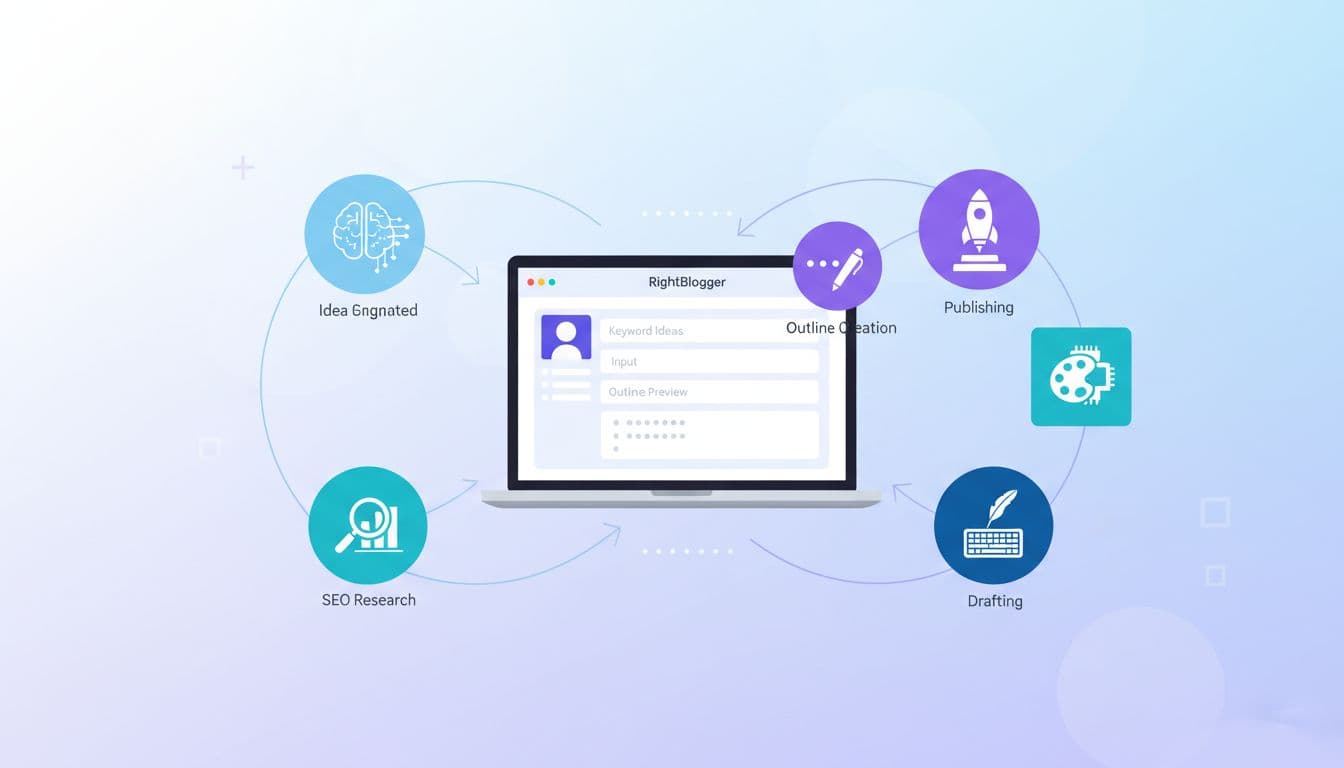
Image created with AI
RightBlogger is built for bloggers first, not generic copywriting. That matters when you live and die by search traffic and a steady posting schedule.
From recent feature updates, here is what it realistically replaces:
- Keyword and topic ideation
- Outlines and content briefs
- Drafting and rewriting
- On-page SEO checks
- Autoblogging and scheduling
- Direct publishing to WordPress, Ghost, Wix, Webflow, and others
In other words, RightBlogger becomes your content studio. You still need a CMS and analytics, but you do not need five separate AI tools trying to play editor, strategist, and writer at once.
If you want a deeper feature list, the official RightBlogger for bloggers overview is a good reference, but let us stay focused on workflow.
The Core 2025 AI Blogging Stack (Simple, On Purpose)

Image created with AI
You can run a serious blog in 2025 with a short, stable stack:
| Layer | Tool choice (example) |
|---|---|
| AI engine | RightBlogger |
| CMS | WordPress, Ghost, Wix, or Webflow |
| Analytics | Google Analytics 4, Search Console |
| Editing polish | Grammarly or Hemingway-style checker |
| Images | In-house photos, licensed stock, or AI art |
| Planning | Simple calendar (Notion, Google Calendar) |
Plenty of bloggers run bigger setups. You probably do not need to. RightBlogger already includes 80+ AI tools, autoblogging, and one-click publishing, so each extra app has to earn its spot.
If you want more background on why a small set of tools often wins, the RightBlogger post on AI productivity tools in 2025 makes the same case from a broader work perspective.
Now let us walk through how to string all of this into one repeatable workflow.
Step 1: Idea And Keyword Research Inside RightBlogger
Start where it hurts least: the blank page.
RightBlogger has dedicated tools for blog post ideas and keyword research. Here is a simple loop you can reuse each week:
- Open the Blog Post Ideas tool.
- Enter your niche and any constraints. For example, “beginner cannabis education, focus on legal markets in the US.â€
- Save the 5 to 10 best ideas into your content calendar.
- For each idea, feed the main phrase into RightBlogger’s keyword tool to find long‑tail angles.
You are looking for titles that match how real humans search. A phrase like “microdosing THC for sleep†will usually be easier to rank than “advanced cannabis dosing strategies.â€
If you want another angle on this approach, check out Ryan Robinson’s AI blogging process, which also leans on RightBlogger for fast ideation.
By the end of this step you should have a short list of ideas with at least one target keyword each.
Step 2: Turn Ideas Into Outlines And Briefs
The next job is turning that rough idea into something your future self (or a teammate) can write without thinking.
RightBlogger’s Blog Post Outline tool does most of the heavy lifting. Feed it:
- Your working title
- Primary keyword
- Any must‑include sections, like “Legal disclaimer†or “Cannabis regulations by stateâ€
Then review the outline with a sharp eye. Ask:
- Does this match how I would teach this topic out loud?
- Is anything missing for my readers?
- Is anything repetitive or fluffy?
For a small content team, the outline becomes the brief. You can drop it into Notion or your CMS, add word count targets and internal links you want included, then assign it out.
If you want more ideas on where AI fits into this planning stage, the RightBlogger article on AI for bloggers workflow has plenty of practical use cases.
Step 3: Draft And SEO‑Optimize With RightBlogger
Now the fun part.
Take your approved outline and open RightBlogger’s Article Writer. Paste:
- The outline
- Your main keyword
- Any extra guidance about tone (for example, “friendly but blunt, aimed at busy dispensary ownersâ€)
If you use the MyTone feature, have it trained on a few of your past posts first, so the draft already sounds like you.
Let the AI draft the article, then do a fast first pass:
- Cut anything that feels too generic.
- Add your personal takes, stories, or data (for cannabis, this might be state stats or dispensary examples).
- Run RightBlogger’s SEO analysis and fix the easy wins: headings, missing keywords, meta description, internal links.
At this stage, I like to run the text once through a simple checker such as Grammarly or a Hemingway-style editor, just to catch clunky sentences and obvious grammar slips.
Step 4: Publish, Schedule, And Track
RightBlogger connects directly to popular CMS platforms so you can send your draft straight into WordPress, Ghost, Wix, or Webflow with proper formatting.
Here is a clean publishing routine:
- Send the post to your CMS from RightBlogger.
- In the CMS, set categories, tags, and featured image.
- Double check URLs and internal links.
- Schedule the post for your next open slot.
If you publish often, explore RightBlogger’s autoblogging features and their own write‑up on the best autoblogging tools comparison. Just keep a human review step before anything goes live on a brand you care about.
Finally, track:
- Search Console for queries and clicks
- Google Analytics for time on page and conversions (email signups, product clicks, etc.)
Those numbers feed your next round of ideas.
End‑To‑End Example: From Rough Idea To Published Post
Let us run a realistic example you could use on a cannabis blog.
Working idea: “Beginner’s guide to THC microdosing for anxietyâ€
Goal: Attract new readers who are curious but cautious about cannabis.
Step 1: Idea and keyword
You drop “THC microdosing anxiety beginner guide†into RightBlogger’s idea and keyword tools. It suggests “how to microdose THC for anxiety†as a cleaner title, with related phrases like “low dose THC†and “start low go slow.â€
You pick a primary keyword and a few supporting ones.
Step 2: Outline and brief
Using the Blog Post Outline tool, you generate a structure:
- What microdosing THC means
- Who it might help and who should avoid it
- How to start, dose ranges, and timing
- Legal and safety notes
- When to talk to a doctor
You tweak the outline to match your local laws and add a clear disclaimer section.
Step 3: Draft and edit
You paste the outline into the Article Writer with guidance:
- Target audience: adults in legal states, no medical promises
- Tone: calm, clear, no hype
RightBlogger spits out a solid draft. You cut the generic safety fluff and add:
- Your own story of trying 1 mg THC edibles
- A short quote from a reputable medical source
- Links to your past posts on CBD vs THC
You run the SEO check, adjust headings, and polish the meta description.
Step 4: Publish and promote
From RightBlogger, you send the post into WordPress. You:
- Add a non‑stock image of a measured edible or tincture
- Set categories like “Education†and “Beginner Guidesâ€
- Schedule it for Tuesday morning
Once live, you share the link in your email list and social accounts. Next month, you check Search Console and see the post pulling in long‑tail queries you did not even target, which gives you three more ideas to run back through the same workflow.
This is the loop. Idea, outline, draft, edit, publish, measure, repeat.
Tips To Keep Your AI Blogging Stack Human
AI should feel like a strong assistant, not a content factory that spits out bland posts.
A few guardrails help:
- Add lived experience: For cannabis, that might be retailer stories, patient quotes, or product tests.
- Limit tools: Before you add a new app, ask what it replaces.
- Standardize your steps: Use the same idea → outline → draft → edit → publish checklist every time.
- Keep learning: The RightBlogger team updates their guidance often, including their long-form AI content creation guide for 2025.
Your readers come for your judgment. Let AI do the typing while you handle the thinking.
Final Thoughts: Build A Stack You Can Actually Stick With
You do not need a fancy tech tower to run a serious blog in 2025. You need a focused workflow, and a small ai blogging stack that you will actually use every week.
RightBlogger sits nicely at the center of that stack, with your CMS and analytics supporting it at the edges. Start with one idea, run it through the four steps once, and refine from there.
If you stay consistent with the process, your publishing calendar fills up, your traffic grows, and you get to spend more time on the parts only you can do, like product reviews, interviews, or original reporting.